How to Train an AI Chatbot on Your Business Data: A 2026 Guide
A practical, source-cited walkthrough of the five stages of building a retrieval-augmented chatbot on your own documents — and the failure modes to avoid.

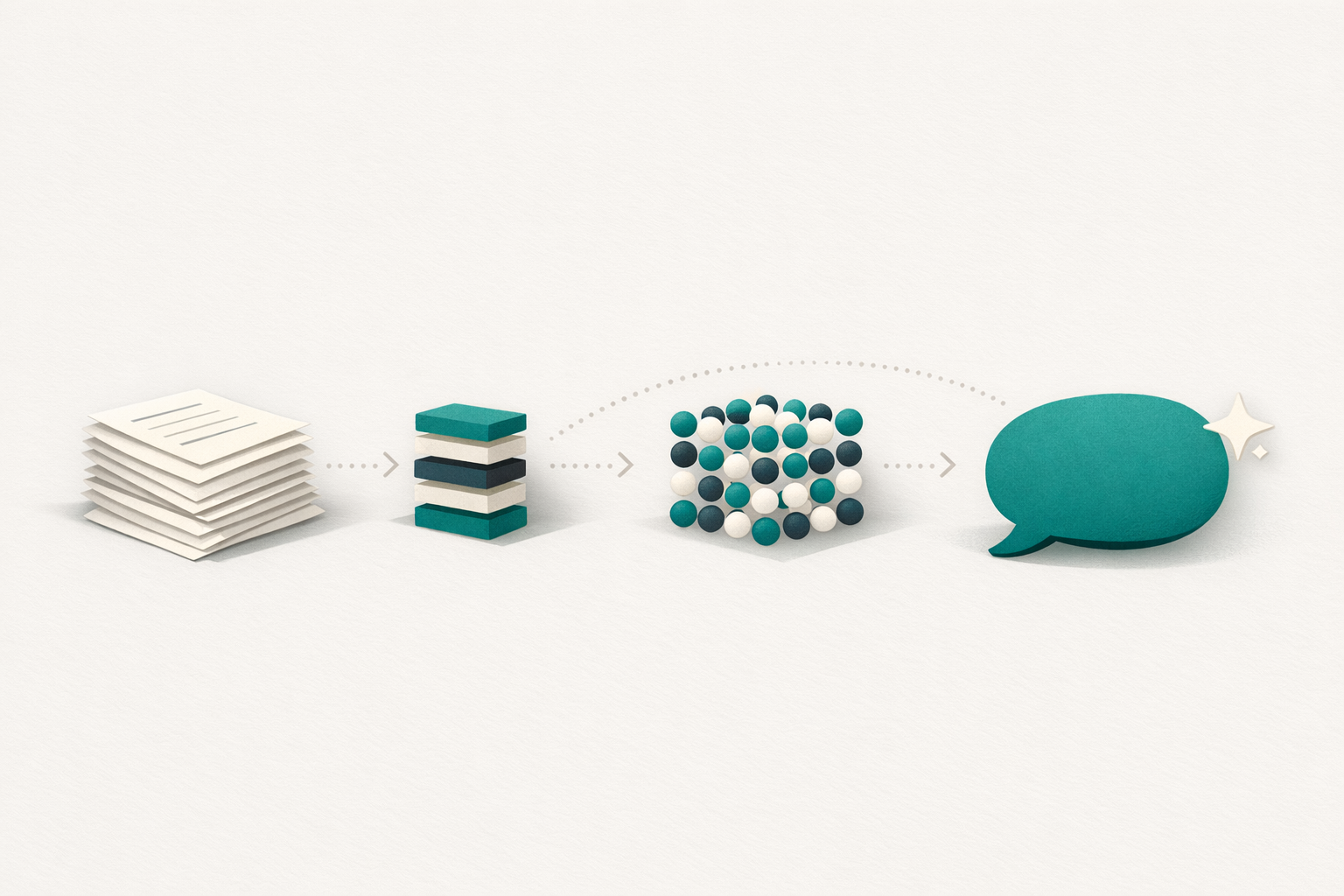
A chatbot that answers questions accurately about your business is not a fine-tuned model. It is a retrieval-augmented system: a generic LLM that, at query time, gets handed the relevant pieces of your documentation and writes an answer grounded in them. This guide walks through the five stages of building one and the failure modes that show up at each.
Why generic chatbots are not the answer
A generic LLM trained on the public web does not know what your shipping policy says, what your warranty terms are, or which of your products is on backorder. Asking it those questions produces confident-sounding nonsense — sometimes called "hallucination" but more honestly described as the model filling gaps with plausible patterns from its training data.
- Retrieval-Augmented Generation (RAG)
The standard solution: at query time, retrieve the most relevant passages from your own corpus, hand them to the LLM as context, and have the model answer using those passages — citing them in the response. The LLM never has to memorise your data; it just has to reason over what's been retrieved.
RAG is not new — academic work goes back to Lewis et al., 2020 — but the tooling matured enough between 2023 and 2026 that an SMB can stand up a working RAG chatbot in an afternoon. The five stages below are universal whether you build it yourself or use a hosted platform.
Stage 1 — Prepare your data
The single biggest predictor of chatbot quality is what you put into it. Common pitfalls:
Stale content. Old PDFs, deprecated FAQs, and policies that contradict the current website will confuse the bot exactly as much as they confuse customers. Audit before ingesting.
HTML noise. Boilerplate, navigation, cookie banners, and footers crowd out signal. If you crawl a website, strip these.
Duplicate near-misses. A FAQ that exists in slightly different wording in three places will return three "relevant" matches at retrieval time, none of which is canonical. De-duplicate.
Mixed languages. A bilingual knowledge base where the same content exists in Italian and English needs explicit language tagging. Otherwise an Italian question may retrieve an English passage and the LLM will translate, badly.
Tabular and visual content. Pricing tables, comparison matrices, and diagrams degrade poorly into raw text. Convert tables to structured markdown; describe diagrams in prose; preserve column headers.
A practical baseline: take your top 20 customer questions of the last quarter, audit which documents would answer them, and start there. Firecrawl's chunking guide has a good overview of how to convert websites cleanly into RAG-ready text.
Stage 2 — Embed and index
- Embedding
A high-dimensional numeric representation of a chunk of text. Two passages with similar meaning end up close in the embedding space, even if they don't share keywords. This is what makes "semantic search" work — and it's the substrate of every RAG system.
The standard pipeline: split each cleaned document into chunks (typically 200-500 tokens, with some overlap), call an embedding model on each chunk, and store the resulting vector alongside the original text in a vector index.
Choices that matter in 2026:
Embedding model. OpenAI's text-embedding-3-large, Cohere's embed-multilingual-v4, and Voyage's voyage-3 are the practical defaults. For Italian content, multilingual models clearly outperform English-only ones — text-embedding-3-large and Cohere's multilingual model are the safe picks.
Chunk size. Recursive 512-token chunks with 64-token overlap won most academic benchmarks in 2026 per the Firecrawl benchmark. Anything below 100 tokens loses context; anything over 1,000 dilutes the semantic focus.
Vector store. For up to ~10M chunks: Postgres with pgvector, Pinecone, or Qdrant Cloud. For tiny SMB knowledge bases (under 10,000 chunks), a flat in-memory index in your application is fine and avoids ops overhead.
The inputs to this stage are your cleaned text files; the output is a queryable index where "vorrei sapere se posso restituire un prodotto dopo 30 giorni" finds the relevant passages from your returns policy regardless of how that policy is worded.
Stage 3 — Retrieve
At query time, the user question is itself embedded with the same model used for the corpus, and the index returns the top-k most similar chunks (typically k=4-8).
The retrieval step is where most homemade RAG systems quietly fail. The embedding similarity score is high, the right document is in the top-3, but the right paragraph isn't — because the chunk boundary cut the answer in half. Spend more time on chunking than on prompts.
Retrieval techniques worth knowing:
Hybrid search. Pure vector similarity misses exact-match cases like product SKUs, error codes, or proper names. Combine vector search with keyword (BM25) search and merge results. Most production systems do this.
Reranking. After the initial top-k retrieval, run a cross-encoder reranker over those candidates to push the most relevant to the top. Cohere Rerank and Voyage Rerank are the two most-used commercial options.
Query rewriting. For multi-turn conversations, rewrite the latest question into a self-contained query before retrieval. "And what about the pro plan?" needs to become "What features does the Pro plan include?" before it's a useful retrieval query.
Stage 4 — Compose the system prompt
Once the relevant passages are in hand, you stuff them into the LLM's context window with a system prompt that tells it: stay grounded in the provided context, cite which passage you used, and refuse to answer if the context doesn't contain the answer. A workable system prompt has four parts:
- Identity. "You are an assistant for [Company]. You help customers with [domain]."
- Grounding instruction. "Answer using only the context below. If the context doesn't contain the answer, say you don't know and suggest contacting support."
- Citation instruction. "Cite the specific passage you used by including its source ID in square brackets at the end of each claim."
- Tone and language. "Reply in the same language as the user's question. Be concise — 2 short paragraphs maximum."
The temperature should be low (0-0.3) for support use cases — you want consistency, not creativity. OpenAI's prompt engineering guide covers more advanced patterns.
Stage 5 — Evaluate
Most teams ship a RAG chatbot to production based on "I asked it five questions and it sounded good." Then real customers find every gap within a week.
A workable evaluation setup:
A test set of 50-100 representative queries. Pull from real support tickets if you have them, or write them with the support team. Each query has an expected answer pattern (not a verbatim string — RAG generations vary by prompt order).
Three metrics, scored 1-5 by a human or a strong LLM-as-judge:
- Faithfulness: does the answer actually follow from the retrieved context?
- Relevance: does the answer address the question that was asked?
- Citation accuracy: is the cited source ID actually the source of the claim?
Re-run the suite after every change to chunking, embeddings, prompts, or model. Without it, you're tuning blind.
The open-source Ragas library automates much of this and is the de-facto starting point for RAG evaluation in 2026.
Common failure modes
The five things that go wrong in 80% of homemade RAG chatbots:
The bot hallucinates because retrieval returned an empty or near-empty context. Fix: add a relevance threshold; if no chunk scores above it, refuse to answer.
The bot contradicts itself across questions. Fix: stable system prompt, low temperature, and same retrieval parameters for every query.
The bot answers in the wrong language. Fix: add an explicit "Reply in the language of the user's question" instruction, and ensure your corpus is language-tagged so retrieval doesn't surface the wrong language version.
The bot loops on follow-up questions. Fix: query rewriting — turn "and the second one?" into "What is the second feature of the Pro plan?" before retrieval.
The bot leaks confidential information. Fix: never put internal-only documents in the same index as customer-facing ones; if you must, tag chunks with audience metadata and filter by it at retrieval time.
Build vs buy
You can implement all five stages in roughly a week of engineering. You can also use a hosted platform that does it for you — including ChatAziendale, Botpress, Voiceflow, Custom GPTs, or any of the customer-messaging incumbents we compared in detail here.
The build path makes sense if you have unusual data sources (proprietary databases, PDFs with tables, internal Notion), strict data-residency needs, or a roadmap that includes agentic actions beyond retrieval. The buy path makes sense if your knowledge base is a normal website and a stack of PDFs and you'd rather spend your time on content quality than on chunking parameters.
Either way, the principles in this guide apply: data preparation matters more than model choice, retrieval matters more than prompts, and evaluation matters more than launch day. Get those three right and you have a chatbot that customers actually trust.